Angular 2 GetStarted
Angular 2 hello world
This entry is from Angular 2 Tutorial
Use same project structure and the way to run.
Follow base and make it simple to understand.
- Source code base is Angular 2 Tutorial
- Use one Component
- Use Template HTML
- Use Template CSS
- TypeScript
- Value Bind
Sample
Project
helloangular2
|- app
|   |- styles
|   |     |- app.css
|   |- template
|   |     |- app.html
|   |- app.component.ts
|   |- app.module.ts
|   |- main.ts
|- index.html
|- package.json
|- systemjs.config.js
|- tsconfig.json
I use WebStrom as IDE.
Preparation for Angular2
Following files are preparation
| File | Description |
|---|---|
| package.json | node project dependencies and project settings |
| systemjs.config.js | System configuration for Angular samples. Loader settings |
| tsconfig.json | TypeScript configuration file |
package.json
{
  "name": "helloangular2",
  "version": "0.0.1",
  "scripts": {
    "start": "tsc && concurrently \"tsc -w\" \"lite-server\" ",
    "lite": "lite-server",
    "tsc": "tsc",
    "tsc:w": "tsc -w"
  },
  "licenses": [
    {
      "type": "MIT",
      "url": "https://github.com/angular/angular.io/blob/master/LICENSE"
    }
  ],
  "dependencies": {
    "@angular/common": "~2.1.1",
    "@angular/compiler": "~2.1.1",
    "@angular/core": "~2.1.1",
    "@angular/forms": "~2.1.1",
    "@angular/http": "~2.1.1",
    "@angular/platform-browser": "~2.1.1",
    "@angular/platform-browser-dynamic": "~2.1.1",
    "@angular/router": "~3.1.1",
    "@angular/upgrade": "~2.1.1",
    "angular-in-memory-web-api": "~0.1.13",
    "core-js": "^2.4.1",
    "reflect-metadata": "^0.1.8",
    "rxjs": "5.0.0-beta.12",
    "systemjs": "0.19.39",
    "zone.js": "^0.6.25"
  },
  "devDependencies": {
    "@types/core-js": "^0.9.34",
    "@types/node": "^6.0.45",
    "concurrently": "^3.0.0",
    "lite-server": "^2.2.2",
    "typescript": "^2.0.3"
  }
}
Add angualr2 library and several dependencies including typescript.
To install them, type following on your project root
npm install
system.config.js
(function (global) {
    System.config({
        paths: {
            // paths serve as alias
            'npm:': 'node_modules/'
        },
        // map tells the System loader where to look for things
        map: {
            // our app is within the app folder
            app: 'app',
            // angular bundles
            '@angular/core': 'npm:@angular/core/bundles/core.umd.js',
            '@angular/common': 'npm:@angular/common/bundles/common.umd.js',
            '@angular/compiler': 'npm:@angular/compiler/bundles/compiler.umd.js',
            '@angular/platform-browser': 'npm:@angular/platform-browser/bundles/platform-browser.umd.js',
            '@angular/platform-browser-dynamic': 'npm:@angular/platform-browser-dynamic/bundles/platform-browser-dynamic.umd.js',
            '@angular/http': 'npm:@angular/http/bundles/http.umd.js',
            '@angular/router': 'npm:@angular/router/bundles/router.umd.js',
            '@angular/forms': 'npm:@angular/forms/bundles/forms.umd.js',
            '@angular/upgrade': 'npm:@angular/upgrade/bundles/upgrade.umd.js',
            // other libraries
            'rxjs':                      'npm:rxjs',
            'angular-in-memory-web-api': 'npm:angular-in-memory-web-api/bundles/in-memory-web-api.umd.js'
        },
        // packages tells the System loader how to load when no filename and/or no extension
        packages: {
            app: {
                main: './main.js',
                defaultExtension: 'js'
            },
            rxjs: {
                defaultExtension: 'js'
            }
        }
    });
})(this);
This is for system loader, and dependencies.
From this, app is defined and main javascript
typeconfig.json
{
  "compilerOptions": {
    "target": "es5",
    "module": "commonjs",
    "moduleResolution": "node",
    "sourceMap": false,
    "emitDecoratorMetadata": true,
    "experimentalDecorators": true,
    "removeComments": true,
    "noImplicitAny": false
  }
}
This is typescript compile settings.
Sources
index.html
<html>
<head>
    <title>Angular QuickStart</title>
    <meta charset="UTF-8">
    <meta name="viewport" content="width=device-width, initial-scale=1">
    <!-- 1. Load libraries -->
    <!-- Polyfill(s) for older browsers -->
    <script src="node_modules/core-js/client/shim.min.js"></script>
    <script src="node_modules/zone.js/dist/zone.js"></script>
    <script src="node_modules/reflect-metadata/Reflect.js"></script>
    <script src="node_modules/systemjs/dist/system.src.js"></script>
    <!-- 2. Configure SystemJS -->
    <script src="systemjs.config.js"></script>
    <script>
        System.import('app').catch(function(err){ console.error(err); });
    </script>
</head>
<!-- 3. Display the application -->
<body>
<app>Loading...</app>
</body>
</html>
This is entry html. Import dependencies.
Layout is just simple(only one tag under body)
main.ts
import { platformBrowserDynamic } from '@angular/platform-browser-dynamic';

import { AppModule } from './app.module';
const platform = platformBrowserDynamic();
platform.bootstrapModule(AppModule);
This is main typescript. This import Module and wrap bootstrap function
app.module.ts
import { NgModule }      from '@angular/core';
import { BrowserModule } from '@angular/platform-browser';

import { AppComponent }   from './app.component';

@NgModule({
    imports:      [ BrowserModule ],
    declarations: [ AppComponent ],
    bootstrap: [ AppComponent ]
})
export class AppModule { }
This is definition of this application.
@NgModule is key part.
app.compoment.ts
import { Component } from '@angular/core';

@Component({
    selector: 'app',
    //template: '<h1>Hello Angular App</h1>'
    templateUrl: './app/template/app.html',
    styleUrls: [ './app/styles/app.css']
})
export class AppComponent {
    title = "Test";
}
title variable to import template. This is similar with Angular 1
Templates
template/app.html
<h1>Hello Angular App {{title}}</h1>
This includes variable, this is inserted by AppComponent class.
This style is same as Angular 1.
styles/app.css
h1 {
    color: aqua;
}
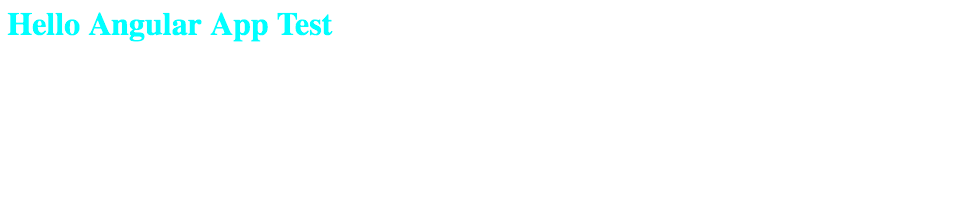
Run and Result
Type following command on project root
npm start
Compile typescript and js files are generated.
And run lite-server and open default browser, you can see results