iOS Memory Warning in UIViewController
Memory warning(above iOS6)
When memory is short and app is background, system calls didReceiveMemoryWarning of all UIViewController
- (void)didReceiveMemoryWarning {
  [super didReceiveMemoryWarning];   // Should call Super class method

  if (self.isViewLoaded && [self.view window] == nil) {
     // Remove notification receiver here

     // Release (mainly created by viewDidLoad)
     self.data = nil;

     // contents view
     self.view = nil;
  }
}
You don’t need to release weak property here.
How to test
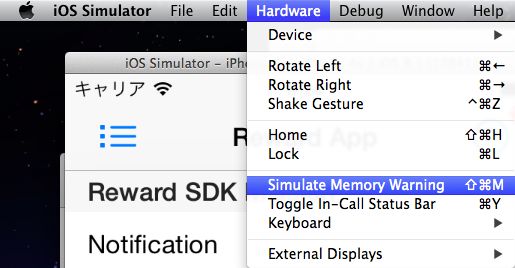
We can simulate Memory Waring using simulator.
Menu > Hardware > Simulate Memory Warning
Set break point in -(void)didReceiveMemoryWarning
You can see behaviour of memory warning