
Swift Use Framework
Framework Code
The way of creating framwework, please check Swift Framework
import Foundation

public class Region : NSObject {

    public class func getRegion() -> String {
        return NSLocale.currentLocale().objectForKey(NSLocaleCountryCode) as! String
    }

    public class func isSupported() -> Bool {  // only for Japan
        return self.getRegion() == "JP"
    }
}
We don’t need special Header like Objective-C
Use Assets.xcassets
This framework includes xcassets and image resources /Resources/Assets.xcassets
import Foundation

public class ResourceFiles {

    public class func getArrowImage() -> UIImage {
        let bundle : NSBundle = NSBundle(forClass: self)
        return UIImage(named: "image_1", inBundle: bundle, compatibleWithTraitCollection: nil)!
    }
}
image_1 is under Assets.xcassets
Preparation
To use framework out side of your project, you need some steps
- Copy framework into your project
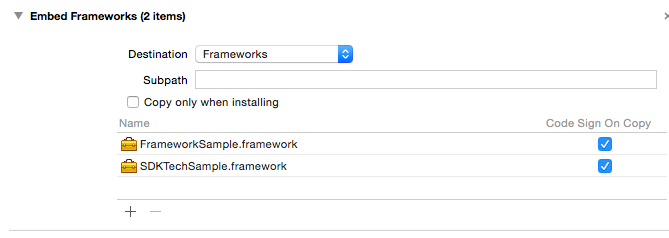
- Add framework to Embedded Binaries
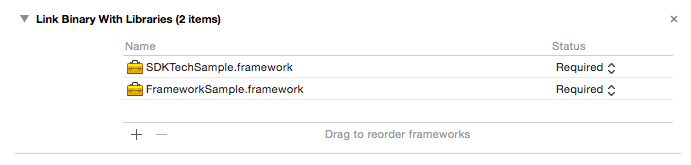
- Add framework to Linked Frameworks and Libraries
Use Framework
import FrameworkSample  // import FrameworkName
import SDKTechSample   // import FrameworkName

class ViewController: UIViewController {

    override func viewDidLoad() {
        super.viewDidLoad()
        print(Region.getRegion())   // Nothing special, just call
        print(Region.isSupported())  // Nothing special, just call
    }
}